Terminal-native coding agent

Weave code with an agent
you can actually inspect

Loom is a coding agent for your terminal. Point it at any OpenAI-compatible endpoint, hand it a goal, and it reads, edits, runs and verifies — writing every state change to an append-only journal you can replay, rewind and audit.

cargo install --path crates/loon-cli --force

Or build from source: cargo build --release → ./target/release/loom. The default provider is a deterministic mock, so the first run needs no credentials.

Built on the opposite of a black box

Most agents ask you to trust a spinner. Loom records what happened: every message, tool call, file hash and verification result lands in a journal that the transcript is merely a projection of.

Replayable by construction

The journal is authoritative. Sessions resume to the exact context they held, and a rewrite of history is visible rather than silent. Resume lists the session you last messaged first, and file edits show their diff in the transcript.

Your endpoint, not a vendor list

Chat Completions and Responses protocols are both first-class. Any base URL works, including local models and gateways that support neither discovery nor tool calling.

Supervision that can say no

An independent reviewer reads the goal, the plan and the evidence. It cannot accept completion while plan items are open or verification fails.

Edits with a paper trail

Hash-protected writes reject stale edits, patches are atomic, and every mutation keeps undo metadata. Conflicts are reported, never clobbered.

Persistent processes

A named shell keeps its working directory and exports. Monitors stream a long-running build. SSH connections multiplex one authenticated session.

Honest numbers

Token counts are labelled estimates until the provider reports real usage. No invented progress percentages, no fabricated speed.

The interface is the product

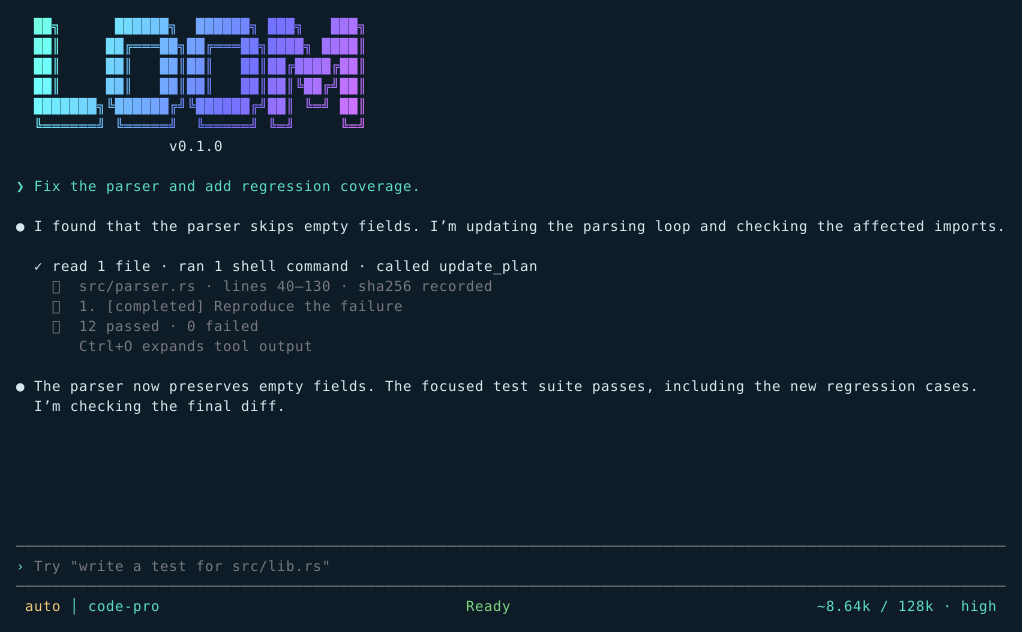
These are not mockups. Each image is rendered from the real Ratatui widgets with sample data, so what you see is what the terminal draws.

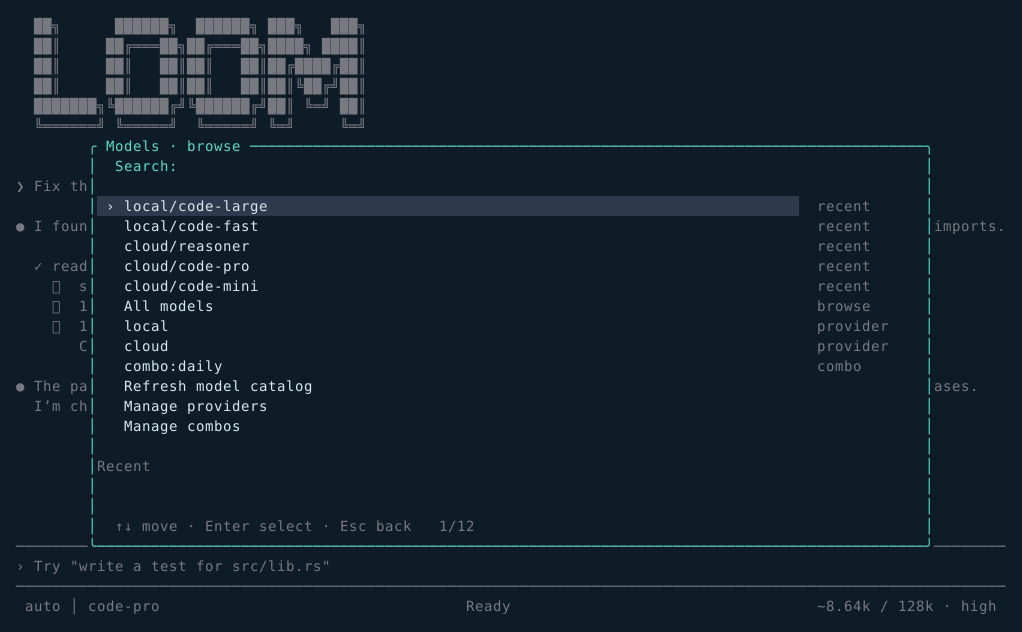
Loom model browser listing providers, recent models and combos
Model browser. Recent selections, per-provider search and combos, with a detail pane.
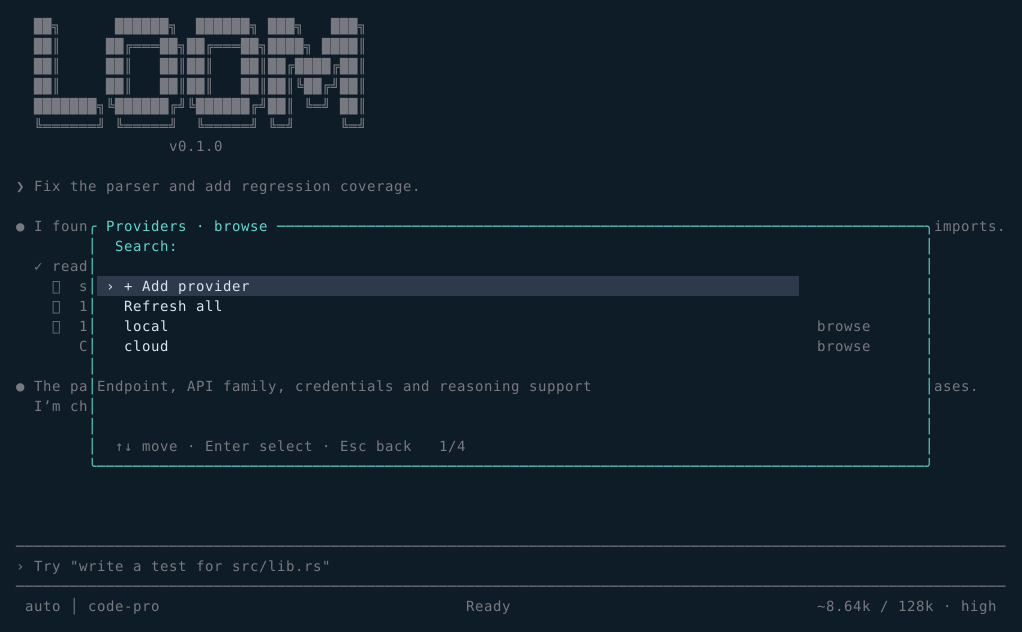
Loom provider manager showing endpoints and connection state
Providers. Add, test, refresh and remove endpoints without restarting.
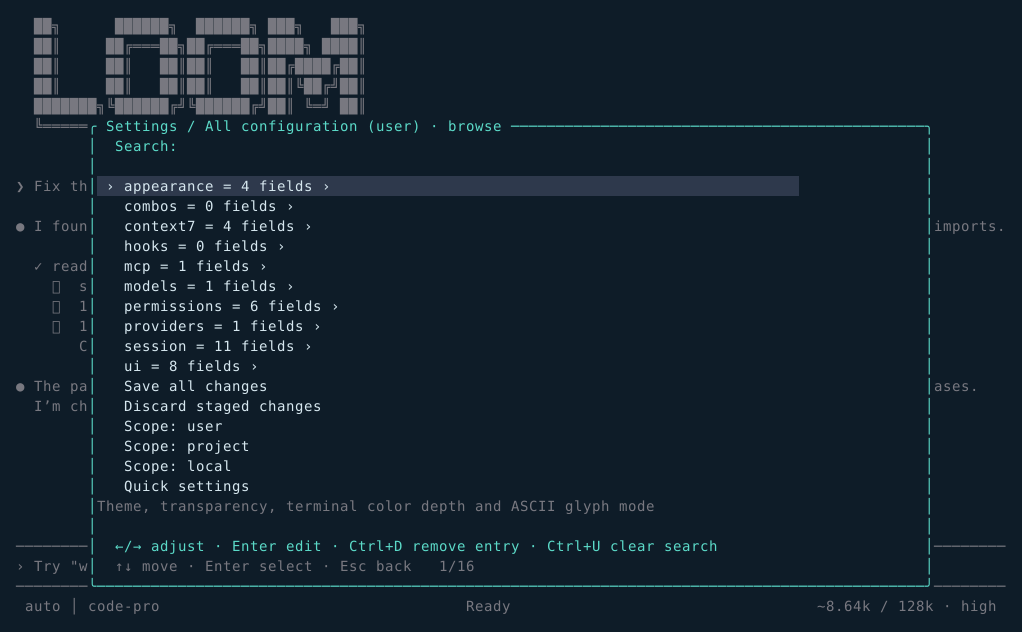
Loom nested configuration browser with staged changes
Configuration. Every typed field, staged and validated before it is written.
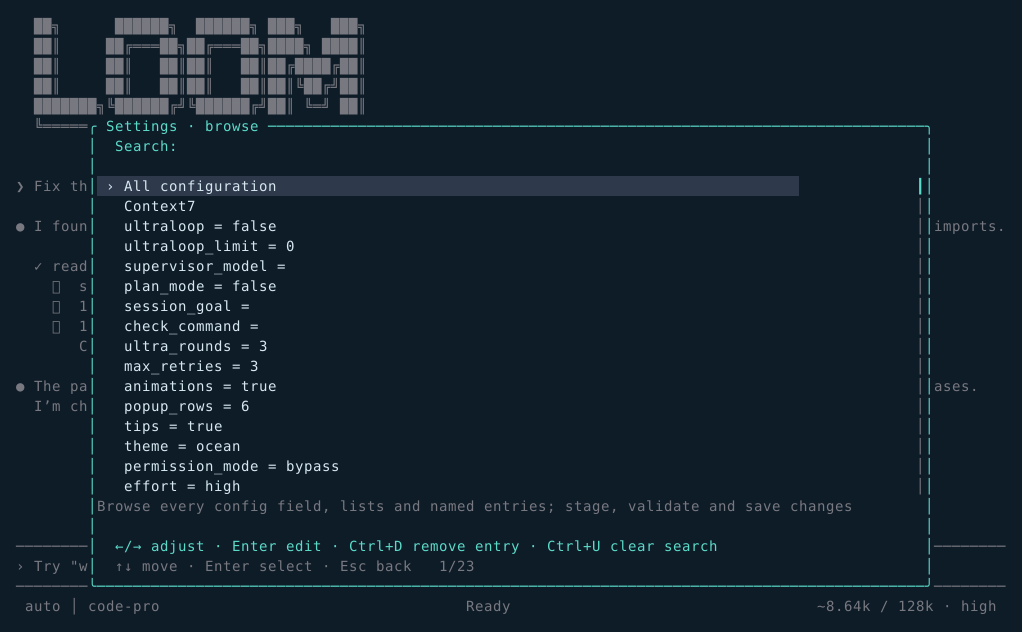
Loom quick settings panel
Settings. Arrows adjust values; Enter edits text; Escape backs out one page.
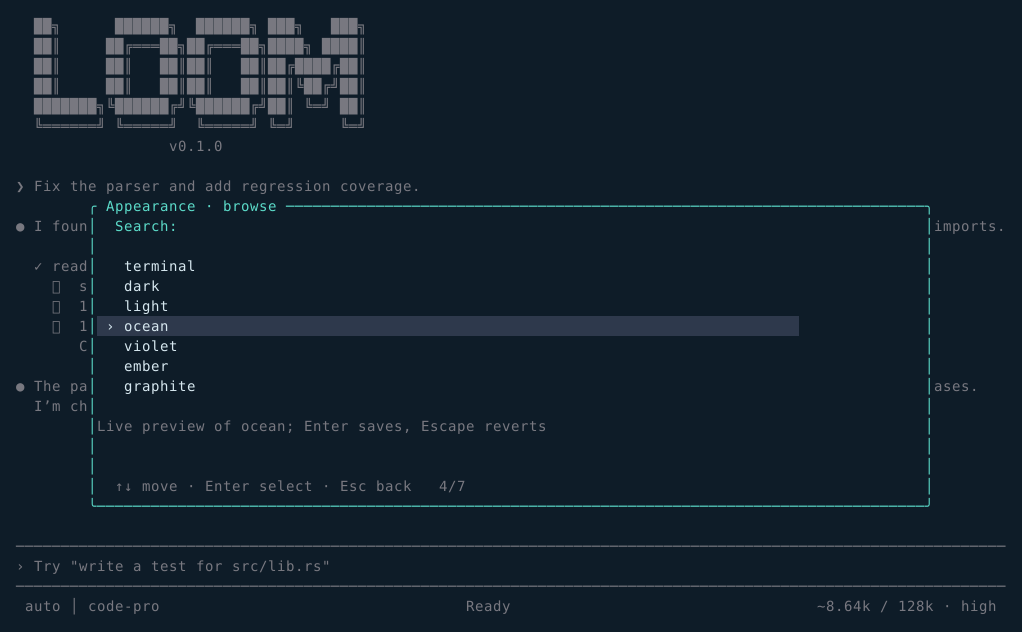
Loom appearance settings with live theme preview
Appearance. Seven palettes preview live as you move through them.
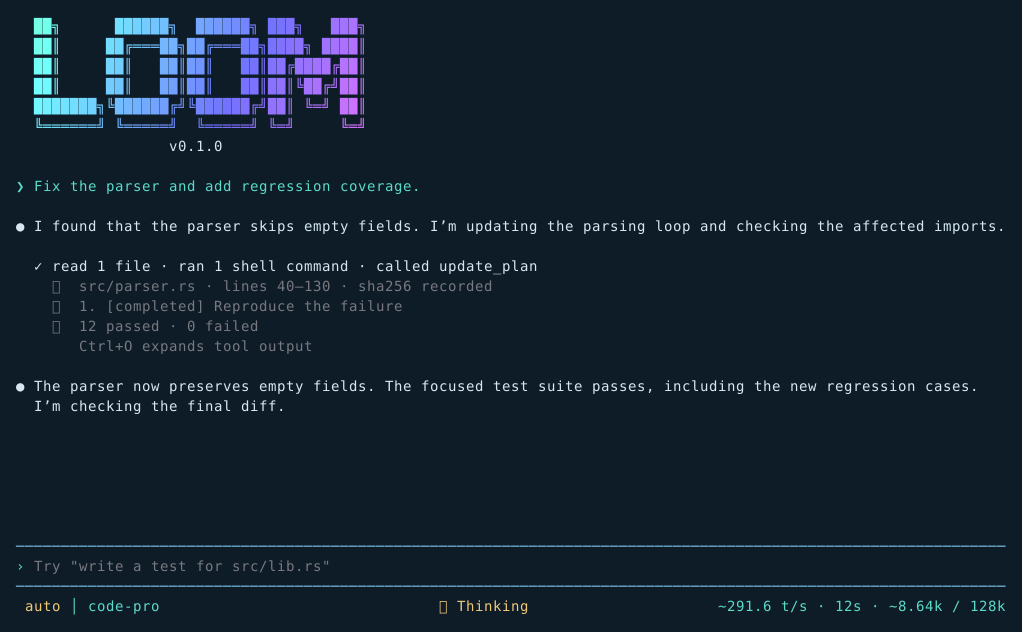
Loom transcript showing reasoning activity and tool execution
Activity. Thinking, writing and tool execution are distinguished, not blurred.
Loom workspace view showing changed files
Workspace. What this session changed, read back from the journal.
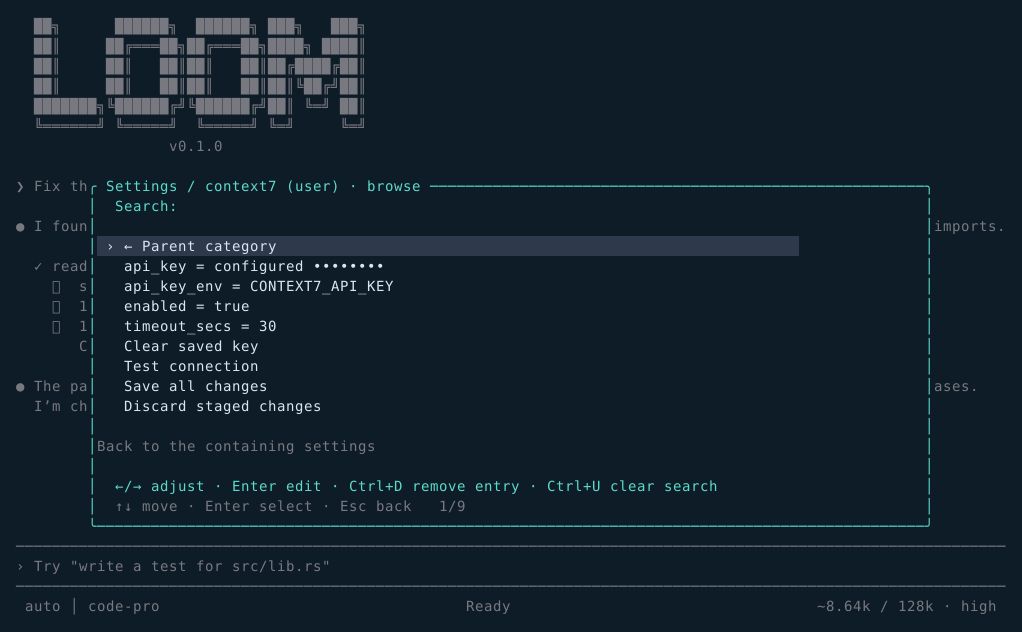
Loom Context7 documentation settings with masked credentials
Documentation. Library docs on demand, with masked credentials and a draft connection test.

A palette borrowed from the terminal

The site uses the same ocean-and-thread colours the TUI ships with, so documentation and product stay recognisably one thing.

Ocean#0e1c28 · base
Teal#5bdac8 · accent
Sky#78bce1 · links
Violet#bc9bf6 · highlight
Amber#f0c878 · warning
Rose#f07178 · error
Why "Loom"? A loom holds threads under tension and draws one weft through them to make cloth. The agent holds your repository's threads — files, tests, processes — and draws a change through them. The opening banner in the terminal is a frame with warp threads and leaves falling through it.

Running in about a minute

No credentials are needed to see it work; the bundled mock provider is deterministic.

Build

Rust 1.75 or newer.

cargo build --release
./target/release/loom

Smoke test

Runs offline against the mock provider.

loom run "Say hello" \
  --output text

Connect a model

Inside the TUI, add any compatible endpoint.

/providers add local \
  http://127.0.0.1:11434/v1
/model local/my-model
Headless too. The same harness runs in CI: loom run "fix the parser" --effort high --output jsonl. Exit codes are a documented contract — 0 completed, 1 failed, 2 cancelled, 64 usage or config error.

Documentation

Generated from the repository's own Markdown, so the site cannot drift from the code.

Guide

The complete tour: providers, combos, sessions, tools, effort levels, keybindings and configuration.

Read the guide →